EN
EN
 TR
TR
 DE
DE

Turkey E-Visa 2026: Step-by-Step Application Guide
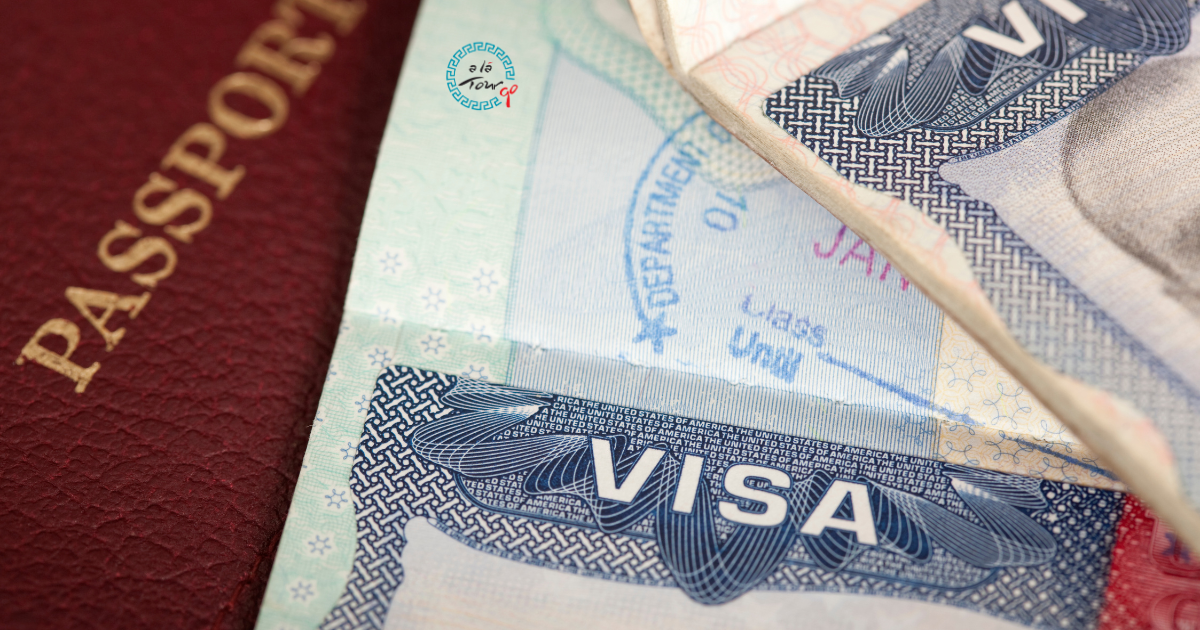
Turkey's e-visa system is one of the most straightforward in the world — when you use the right website. The process takes 5–10 minutes, costs approximately $35 and the visa arrives by email within minutes to hours. The problems arise when travellers accidentally use unofficial third-party websites that charge significantly more and provide no additional service.
This guide walks you through the entire process using only the official Turkish government e-visa system.
Who Needs a Turkish E-Visa?
Not everyone needs to apply for an e-visa. Turkey has three categories of travellers:
1. Visa-free entry (no e-visa needed)
Citizens of some countries can enter Turkey without any visa for short stays. This includes most EU countries (Germany, France, Italy, Spain, Netherlands, Belgium and others) for stays up to 90 days.
Important: Check the current list at the official website (evisa.gov.tr or mfa.gov.tr) before travel — visa agreements change and the list is updated regularly.
2. E-visa required
Citizens of many countries — including the UK, USA, Canada, Australia, India, South Africa and others — must apply for an e-visa before arrival.
3. Visa on arrival or embassy visa
A small number of nationalities must obtain a visa through a Turkish embassy before travel.
How to check which category you're in: Go to evisa.gov.tr, click "Check if you need an e-visa" and enter your nationality. The system tells you immediately.
The Official Website — And How to Avoid Scams
The ONLY official Turkish government e-visa website is: evisa.gov.tr
Every year, travellers lose money to unofficial websites that appear in search results for "Turkey visa application." These sites charge €50–150 for the same visa that costs $35 on the official website. They provide no additional service — they simply submit your application on your behalf.
How to identify the official site:
- URL must be exactly: https://www.evisa.gov.tr
- The site is operated by the Turkish Ministry of Foreign Affairs
- Payment is in USD ($35)
Avoid any site that:
- Charges significantly more than $35
- Has a URL different from evisa.gov.tr
- Promises "expedited processing" for extra fees (the official system is already fast)
Step-by-Step: How to Apply
What you need before you start:
- Valid passport (must be valid for at least 6 months beyond your planned arrival date in Turkey)
- Credit or debit card for payment ($35)
- Your email address
- Your planned travel dates (approximate is fine)
- Your accommodation address in Turkey (first hotel is sufficient)
Step 1: Go to the official website
Open a browser and go to: https://www.evisa.gov.tr
Select your language (English is available) from the top of the page.
Step 2: Click "Apply"
On the main page, click the green "Apply" button.
Step 3: Enter your nationality and passport details
- Select your nationality from the dropdown
- The system will confirm whether you are eligible for an e-visa
- Enter your passport number, surname, given name, date of birth and passport expiry date exactly as they appear on your passport
Important: Name spelling must match your passport exactly. Any discrepancy can cause problems at the border.
Step 4: Enter your travel details
- Planned arrival date in Turkey
- Planned departure date
- Point of entry (airport, land border or sea port)
- Accommodation address (your first hotel name and city is sufficient)
Step 5: Review your application
Check every detail carefully before proceeding to payment. Common errors:
- Wrong passport number (copying error)
- Name doesn't match passport exactly
- Wrong date of birth format (use DD/MM/YYYY)
Step 6: Pay
- Cost: $35 USD (approximately €32–34 at current rates)
- Accepted: Visa, Mastercard, American Express
- You will receive a payment confirmation email immediately
Step 7: Receive your e-visa
- The e-visa is sent to your email address, usually within minutes to a few hours
- Download and print it (or save it to your phone — a digital copy is accepted)
- The e-visa is a PDF document with your name, passport number, validity dates and a QR code
What the E-Visa Allows
Standard Turkey e-visa:
- Stay duration: Up to 30 days per visit (some nationalities: 90 days — check your specific visa)
- Validity period: 180 days from the date of issue (you can enter Turkey any time within this 180-day window, for a stay of up to 30/90 days)
- Entry type: Single entry (standard) or multiple entry (available for some nationalities)
- Purpose: Tourism and short business visits only — not for work, study or long-term residence
How Long Does It Take?
The official processing time is listed as up to 24 hours, but in practice most e-visas are issued within minutes to 2 hours during business hours.
When to apply:
- Minimum: Apply at least 48 hours before your flight, to allow for any processing delays
- Recommended: Apply at least 1 week before your travel date
- There is no disadvantage to applying weeks or months in advance — the 180-day validity window only begins when the visa is issued, and you can enter any time within that window
Common Mistakes and How to Avoid Them
Mistake 1: Using an unofficial website
Solution: Always use only evisa.gov.tr — bookmark it and ignore any other results.
Mistake 2: Passport expiry date
Your passport must be valid for at least 6 months beyond your planned arrival in Turkey. Check this before applying.
Mistake 3: Name doesn't match passport
Enter your name exactly as it appears on your passport, including any hyphens, spaces or special characters.
Mistake 4: Forgetting to download the visa
The e-visa is sent by email. Download and save it before you travel — border officers will ask to see it.
Mistake 5: Assuming the e-visa is confirmed at the airport
You must present the e-visa document (printed or digital) at passport control. Do not assume the immigration officer can look it up — have it ready.
Frequently Asked Questions
Can I extend my stay beyond 30 days?
No — the e-visa does not allow extension. To stay longer, you must leave Turkey and re-enter (if your visa allows multiple entries) or apply for a residence permit.
What if my e-visa application is rejected?
Rejections are rare but possible. Common reasons: passport validity issue, incorrect information. If rejected, you can re-apply after correcting the error, or contact the nearest Turkish embassy.
Do I need to print it?
A digital copy on your phone is accepted at most Turkish airports. However, printing it is safer and recommended.
Can I apply on arrival?
No — the e-visa must be obtained before travel. There is no visa-on-arrival option for most nationalities.
Applying for your Turkey e-visa before your trip?
Once the visa is sorted, the next step is planning your itinerary. Tell us your dates and regions of interest via the WhatsApp button on the right side of our website — we respond within 24 hours.
Türkiye'yi Keşfetmeye Hazır mısınız?
Uzman rehberlerimizle Türkiye'nin en etkileyici destinasyonlarında unutulmaz bir yolculuğa çıkın.
Turları Keşfet